Cloud PBX
One phone system.Every team connected.
Bring numbers, extensions and call routing into a shared cloud workspace.
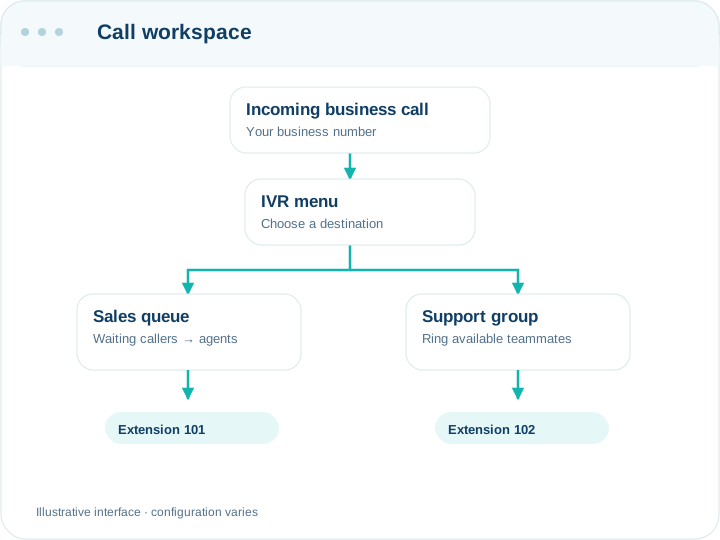
From setup to everyday use.
- Assign extensions
- Set destinations
- Test your calling flow
Built for the work you do.
Bring the right tools into your daily workflow.
SIP extensions
Connect supported desk phones and browser clients.
Ring groups
Reach several teammates through one destination.
Visual IVR
Give callers a clear keypad route.
Call queues
Organize waiting calls and agent distribution.
DID routing
Direct business numbers to the right destination.
Conference rooms
Bring participants into a shared call.
Paging & intercom
Reach individuals or groups inside your team.
Business hours
Set routes for opening hours and holidays.
A little more clarity.
Do I still need office equipment?
You need suitable devices and connectivity. Cloud hosting removes the need for an office PBX server.
How is Enterprise deployed?
On a dedicated cloud VM, with a custom agreement. It includes a single-copy license without source code; development and MRC/AMC are agreed.
 Explore a connected toolWebRTC Softphone
Let’s find your fit.
Talk through your workflow with our team.