Skip to content
WebRTC Softphone

Your Office Phone —In Your Browser

No installation. No hardware. Full-featured WebRTC phone in the browser. Call, transfer, conference — from anywhere with an internet connection.

Your desk phone is a browser tab

Sign in and take calls. Nothing to install, and it works from anywhere your team happens to be.

app.talkify.com.bd
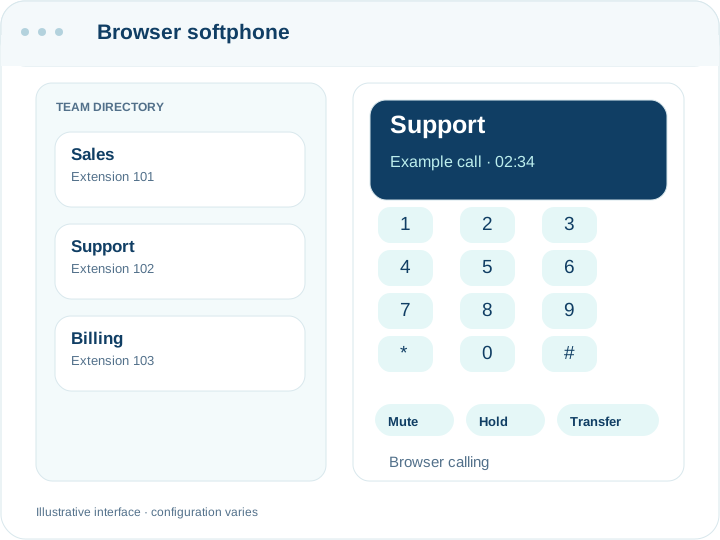
The browser softphone: a dialpad on the left with the extension registered, and a list of recent calls with names and durations on the right.
The extension registered, with recent calls beside the dialpad

A phone that is a browser tab

The softphone runs in Chrome, Edge or Safari with nothing installed. Sign in, and the extension is registered — the same extension a desk phone would use, reachable on the same number.

WebRTC, and what that means in practice

Audio goes directly between the browser and the platform over an encrypted connection, with a TURN relay for networks that block direct media. Practically: it works from an office, from home, and from a phone tethered in a car, without a VPN or a port forward.

It is the same extension, not a second one

A person can have a desk phone and the browser open at once; both ring. That matters on the day the office loses power — the extension goes with the person rather than staying on the desk.

Recent calls, contacts and extensions in the same view

The dialpad sits beside the call history, the contact list and the internal directory, so calling back does not mean finding a number somewhere else first. Names come from your contacts, so an inbound call shows who it is rather than eleven digits.

What a browser phone is not good at

It depends on the machine it runs on. A laptop that goes to sleep drops registration, and a headset that Windows has decided is the wrong default device will produce a call nobody can hear. For a desk that takes calls all day, a hardware phone is still steadier — the softphone is at its best for people who move.

The controls you need mid-call

Mute, hold, keypad tones for the automated system on the other end, and transfer to a colleague or a queue. Transfer is the one worth practising before you need it: sending a caller to the right place quickly is most of what separates a good phone experience from a bad one, and the first time should not be with a customer waiting.

Test it before you trust it

An echo test and hold music are built into the dialler, so a new starter can check their headset without calling anyone. This catches the most common problem — the browser using the laptop's built-in microphone instead of the headset — in ten seconds rather than during a customer call.

Why Browser-Based?

No Installation

Works in any modern browser — Chrome, Firefox, Edge. No plugins, no downloads, no IT setup required.

Work From Anywhere

Home, office, hotel, airport. Your office phone follows you wherever you have internet access.

HD Audio

WebRTC delivers crystal-clear audio with Opus codec. Better quality than traditional phone lines.

Encrypted

All calls encrypted with DTLS-SRTP. No eavesdropping, no man-in-the-middle attacks. Enterprise-grade security.

Full-Featured Softphone

Every feature you'd expect from a desk phone — and more.

Complete Calling

Full dialpad, call/answer/reject, mute, hold, in-call DTMF input, and complete call history — all in your browser.

Smart Transfer

Blind Transfer for instant handoff. Attended Transfer with 3-step flow: consult the target → complete or cancel the transfer.

In-Call Conference

Merge any active call into a multi-party conference on the fly. No separate bridge needed — just click merge.

Directory & Presence

Extension directory with contact book. Real-time status indicators: 🟢 Available, 🔴 Busy, ⚪ Offline — powered by WebSocket.

Intercom & Paging

One-click intercom to any extension with auto-answer. Group paging for department or building-wide announcements.

Diagnostics

Built-in echo test, music-on-hold test, and WebSocket connectivity status. Troubleshoot audio issues instantly.

Using it day to day

What do I need to install?

Nothing. A current browser and a headset. The first call asks for microphone permission.

Does it work on a phone?

It runs in a mobile browser, but a phone that locks its screen will suspend the tab and drop the call. For staff who are out all day, forwarding the extension to their mobile number is more reliable.

Can two people share an extension?

An extension registers from more than one place at a time, so a desk phone and a browser both ring. Two different people sharing one extension works technically but makes your call reports meaningless — give them one each.

Is the audio encrypted?

Yes, WebRTC media is encrypted end to end between the browser and the platform, and signalling runs over TLS.

Why does it sometimes say connecting?

The browser re-registers after a network change or a laptop waking up. If it stays there, the usual cause is a corporate firewall blocking the media path — the TURN relay exists for exactly that, and support can confirm whether it is being reached.

Can I transfer a call to someone outside the company?

Yes, transfer to any number your plan allows you to dial, not only internal extensions.

Does closing the tab drop my calls?

Closing the tab unregisters the extension, so it stops ringing and any call in progress ends. Leave it open in a background tab during the working day.

Ditch the Desk Phones

Enable your team to make and receive business calls from any browser, anywhere in the world.

WebRTC Softphone | Browser-Based Phone | Talkify